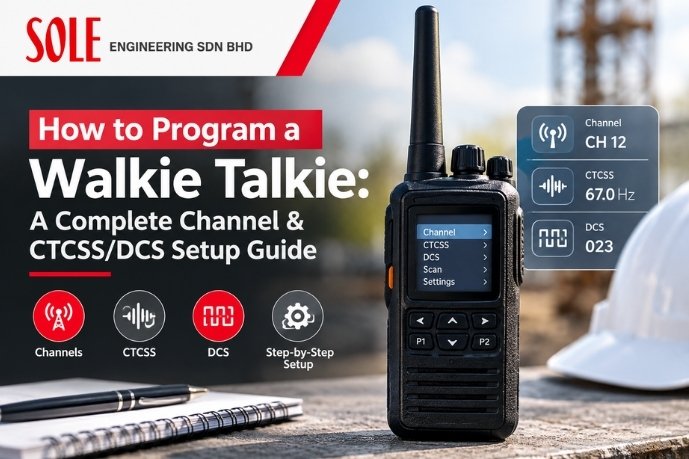
Buying the right radio is only half the job, if it isn’t programmed correctly, your team will end up on the wrong channel, picking up interference from nearby businesses, or unable to reach each other at all. This guide explains how to program a walkie talkie, in plain terms.
Channels vs Frequencies: What’s the Difference?
A frequency is the actual radio wave your device transmits and receives on (e.g. 446.00625 MHz). A channel is simply a saved shortcut to that frequency, plus any additional settings like a privacy tone, so users don’t need to remember or dial in raw frequency numbers. For a deeper look at frequency selection itself, see our guide on walkie talkie frequencies.
What Are CTCSS and DCS Codes?
This is the part most first-time buyers misunderstand.
CTCSS (Continuous Tone-Coded Squelch System) and DCS (Digital-Coded Squelch) do not create a private or encrypted frequency. Anyone on the same frequency can still hear you if they’re not using a tone filter. What these codes actually do is filter out other people’s chatter on the same shared frequency, so your radio only “opens up” (unmutes) when it hears a matching tone.
- CTCSS uses a continuous sub-audible analog tone (typically 38 standard tones).
- DCS uses a digital code instead of a tone (typically 83 or more codes), offering finer filtering with less chance of false triggering.
Think of it as a courtesy filter for shared frequencies, not a privacy or security feature.
Step-by-Step: Programming Channels on a Standard Business Radio
- List your operational needs first. Decide how many channels you actually need (e.g. general ops, security, maintenance, emergency) before touching the radio — over-programming causes confusion in the field.
- Power on and enter programming mode. On most consumer/commercial handhelds this is done via a menu button combination; higher-end business radios use free programming software (CPS) via USB cable — recommended for fleets of more than a handful of units.
- Select the channel number to edit. Start with Channel 1.
- Set the frequency. Enter the transmit and receive frequency (usually the same for simplex operation). Refer to our guide on VHF vs UHF if you’re unsure which band suits your environment.
- Assign a CTCSS or DCS code (optional but recommended). Pick a tone/code not commonly used by nearby businesses to reduce interference. If several teams share a site, assign each department a different code on the same frequency.
- Name the channel (on radios with a display) — e.g. “OPS,” “SECURITY,” “MAINT” — so users don’t need to remember numbers.
- Repeat for each additional channel.
- Lock the channel list if your radio supports it, so field staff can’t accidentally reprogram or scramble settings.
- Test in the real environment, not just at the office — walk the full site and confirm coverage and audio clarity at the farthest points of use.
- Label physical radios with channel numbers and tone assignments for onboarding new staff quickly.
Digital (DMR) Radios: What Changes
On DMR radios, programming is done almost exclusively through CPS software rather than the keypad, because DMR channels also require setting a Colour Code (the digital equivalent of a CTCSS/DCS tone) and, for repeater use, a Time Slot. If you manage more than a few DMR units, budget time for a proper CPS-based fleet programming session rather than manual keypad entry.
Common Programming Mistakes
- Using the default/factory channel for business use — factory channels are often shared internationally and prone to interference.
- Skipping CTCSS/DCS entirely in busy commercial areas, leading to constant unwanted chatter.
- Mismatched tones between radios — if even one unit in a group has the wrong code, it won’t hear the rest of the team.
- Not testing range before go-live — programming looks correct on a bench test but fails in a real building with concrete walls or steel structures.
If your radios are already programmed but still cutting out or picking up noise, see our walkie talkie troubleshooting guide for further diagnosis.
When to Get Professional Programming Help
For fleets of 10+ radios, multi-department sites, or any deployment involving a repeater, professional programming avoids costly rework. Sole Engineering programs and configures radio fleets for Malaysian businesses as part of our supply and rental service, get in touch for setup support.
FAQs
Q: How to program a walkie talkie channel?
A: Enter the radio’s programming menu (or use CPS software for business/DMR radios), select a channel slot, set the transmit/receive frequency, optionally assign a CTCSS or DCS code, and save the channel — then test it in the real work environment.
Q: What is a CTCSS code used for on a walkie talkie?
A: A CTCSS code filters out unwanted transmissions from other users sharing the same frequency by only unmuting the radio when it detects a matching tone. It does not make the channel private or secure.
Q: Is DCS better than CTCSS?
A: DCS generally offers more code options and slightly more reliable filtering than CTCSS because it uses a digital code rather than an analog tone, reducing false triggering — but functionally both serve the same filtering purpose.
Q: Can I program a walkie talkie myself without special software?
A: Basic analog radios can usually be programmed manually through the keypad menu. DMR and higher-end business radios typically require free manufacturer programming software (CPS) connected via USB.
Q: Why can’t my team hear each other even though the radios are on the same channel?
A: The most common cause is mismatched CTCSS/DCS codes between units, if even one radio has a different code, it will not unmute for transmissions from the rest of the group.